Page 1 of 2
Some fun effects shaders for the GLSLShader module
Posted: Tue Nov 11, 2014 7:18 pm
by Magic
EDIT: In Magic 1.6, many of the effects below are now included as standalone modules in the main installation.
---
Here are a few shader effects that work with the GLSLShader module. I created some of them myself, and I edited the others (from
http://shadertoy.com and other places).
Make sure you hook up an input to the GLSLShader module to use them.
I'll update this post as I find more good ones. And feel free to add your own!
See post
below for ChromaKey instructions.
And there's another (potentially better) ChromaKey later in this topic:
http://magicmusicvisuals.com/forums/vie ... rt=10#p805
Also check out my Alpha Mask shader:
http://magicmusicvisuals.com/forums/vie ... ?f=3&t=146
And my FadeMix shader:
http://magicmusicvisuals.com/forums/vie ... p=711#p711
Sorted newest to oldest:
Re: Some fun effects shaders for the GLSLShader module
Posted: Tue Nov 11, 2014 8:21 pm
by Ranya
Thanks, keep em coming.
Re: Some fun effects shaders for the GLSLShader module
Posted: Wed Nov 12, 2014 8:29 pm
by Sadler
The SmudgeBlur doesn't seem to work for me.
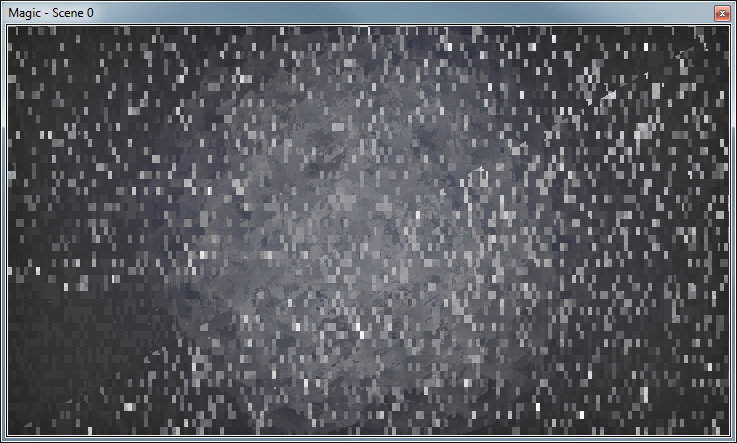
- SmudgeBlur.jpg (89.56 KiB) Viewed 423963 times
The other two work well though, as do many GLSL shaders I've tried.
Re: Some fun effects shaders for the GLSLShader module
Posted: Wed Nov 12, 2014 8:36 pm
by Magic
Hmm, that's weird. What kind of graphics card do you have? Perhaps try updating the driver?
Re: Some fun effects shaders for the GLSLShader module
Posted: Wed Nov 12, 2014 9:45 pm
by Terry Payman
Sadler wrote:The SmudgeBlur doesn't seem to work for me...
Nor me. Tried two Win 7-64 systems.
NVIDIA GTX 580 & GT 610 Cards. Drivers 340.52 originally. Update to latest 344.65 made no difference.
Re: Some fun effects shaders for the GLSLShader module
Posted: Wed Nov 12, 2014 9:55 pm
by Magic
Ok, it might be due to a bug in the original code. Strange. Anyway I fixed it and uploaded it again -- try it and let me know.
Re: Some fun effects shaders for the GLSLShader module
Posted: Wed Nov 12, 2014 10:04 pm
by Terry Payman
Eric wrote:...-- try it and let me know.
Fixed!
Nice painterly effect when fed from the default shader. Goldwaves shader shows the effect very clearly. Thanks Eric.
Re: Some fun effects shaders for the GLSLShader module
Posted: Wed Nov 12, 2014 10:22 pm
by Sadler
Yes, fixed for me too - assuming this is the intended effect...
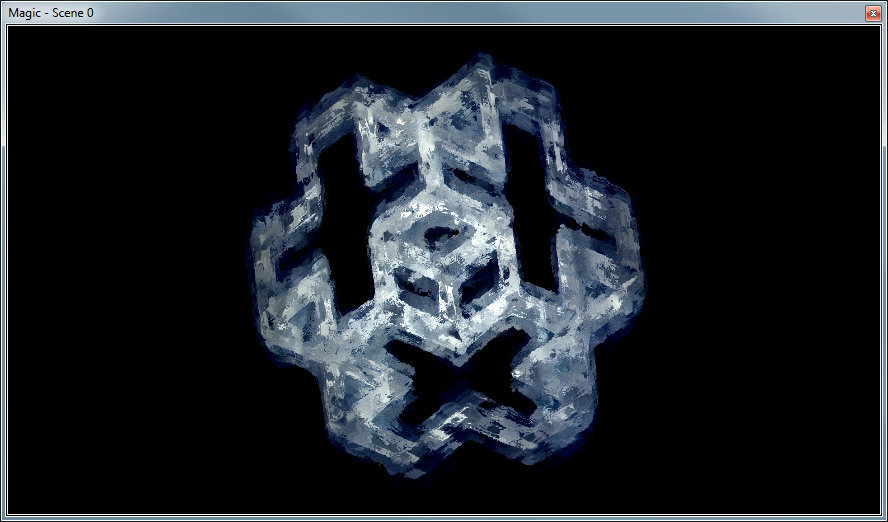
- SmudgeBlur2.jpg (79.06 KiB) Viewed 423955 times
Re: Some fun effects shaders for the GLSLShader module
Posted: Wed Nov 12, 2014 10:27 pm
by Magic
That looks right

. Cool.
Btw, for that shader you can adjust the X Param to change blur amount.
Re: Some fun effects shaders for the GLSLShader module
Posted: Wed Nov 12, 2014 11:51 pm
by Magic
I just added a Chroma Key shader (download link in first post). The code is based on Brad Larson's framework:
https://github.com/BradLarson/GPUImage/ ... eyFilter.m
He has a bunch of nice ones so I might add more later.
Because the Chroma Key requires an input color, but the GLSLShader module doesn't support one yet, you have to do something a bit convoluted. The second input has to be a solid color which represents the color to remove, such as a Polygon with a Color module :
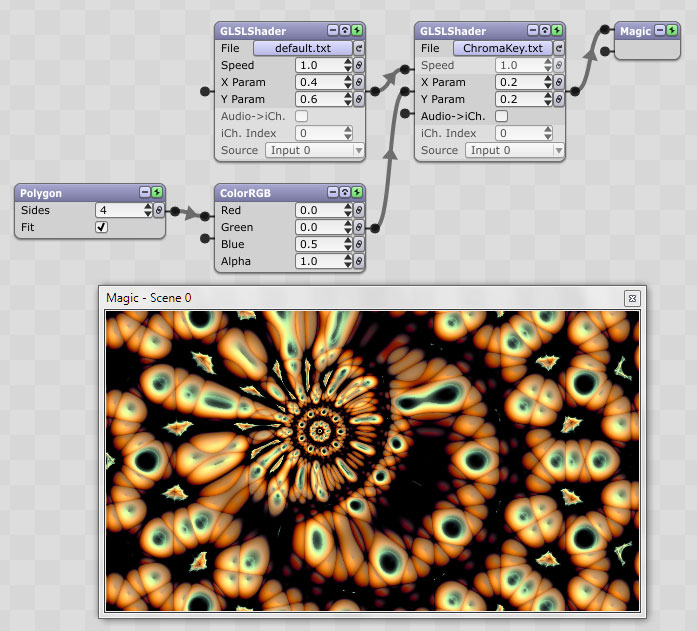
- ChromaKey.jpg (112.57 KiB) Viewed 423946 times
The X Param is "threshold sensitivity" and the Y Param is "smoothing". I recommend you start with values of .2 for each. In the above example you can see that it removes blue from the default shader.
Re: Some fun effects shaders for the GLSLShader module
Posted: Thu Nov 13, 2014 1:17 am
by Terry Payman
Many thanks for looking at Chroma Key Eric. Very useful!
Eric wrote:..Because the Chroma Key requires an input color... you have to do something a bit convoluted. The second input has to be a solid color which represents the color to remove, such as a Polygon with a Color module ...
For green-screen work I find it's easier to be able to tune the hue of the reference color rather than mix RGB.
I've just discovered your HueSaturation module with Lightness = 1 seems to work very well for this purpose (with no input needed). Previously I have used Resolume Avenue's AVFFGLSolidColor which again offers hue control.
BTW I seem to get slightly better keying using casty's Shadertoy "Vlahos chroma key"
https://www.shadertoy.com/view/MsS3DW. This seems to totally eliminate any green fringing without impacting the brightness of the foreground object.
Regretfully I don't understand the code for either approach, but it would be awesome if you could devise a hybrid.
Re: Some fun effects shaders for the GLSLShader module
Posted: Thu Nov 13, 2014 4:30 am
by Magic
it would be awesome if you could devise a hybrid.
I'll try. Doing a quick test, the Shadertoy one seems to work well with the provided video's green color, but when I use a different video or image, and try to match the color, it doesn't work as well. It might be optimized for that particular green.
Re: Some fun effects shaders for the GLSLShader module
Posted: Thu Nov 13, 2014 9:46 am
by Terry Payman
Eric wrote:.. It might be optimized for that particular green.
Indeed! Hard coded

as far as I can see, the shader's two inputs being foreground and background images.
It would benefit greatly from the facilities you provided for your Larson-based shader; a reference color input together with two "tuning" parameters.
From experiment, I think perhaps the reference threshold adjustment can be provided by appropriate choice of hue/sat/brightness of the reference input.
If that was the case then the two tuning parameters could perhaps be "sharpness/smoothing" of the transition, and some "erosion" control of the foreground.
If you compiled your own dedicated shader
there are a few other controls that are commonly provided.
Re: Some fun effects shaders for the GLSLShader module
Posted: Thu Nov 13, 2014 12:35 pm
by Magic
What I meant is that if even I change the hard-coded settings to make them configurable with inputs and parameters (as I did with one I originally provided), it doesn't seem to work any better. At least with the reference images I'm testing. Can you share something you're testing with?
Re: Some fun effects shaders for the GLSLShader module
Posted: Thu Nov 13, 2014 10:00 pm
by Terry Payman
Eric wrote:...Can you share something you're testing with?
Sorry Eric. I should have anticipated that you would do a thorough re-casting
.
I grabbed a frame from some greenscreen footage I shot for a short film:
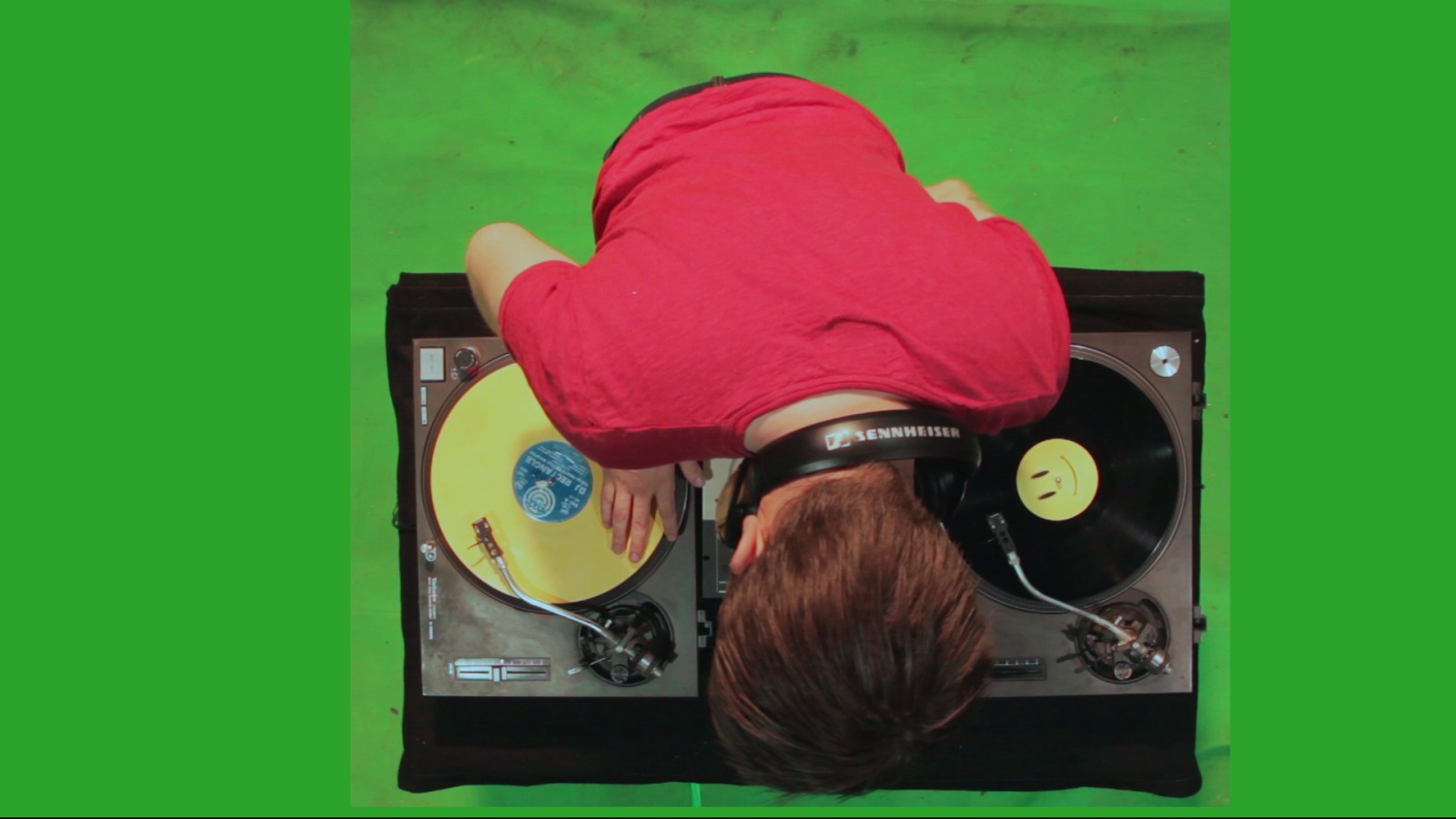
- 2v9t7o5.jpg (143.23 KiB) Viewed 422654 times
- compare especially the DJ's hair, bottom centre.
- and here's another I found on the web. Turns out to be a grab from some Shutterstock footage
http://stock-clip.com/video/3214525-zebra-chroma-key
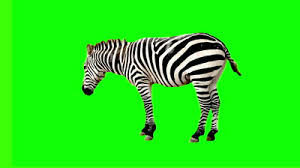
- 5ey5bm.jpg (7.33 KiB) Viewed 422654 times
- very clean outline with casty's keyer, even with this very low-res image.
Having done extensive further tests, I confirm my original findings. Even if your version of casty's keyer works only for green, it would be very useful for greenscreen work! I would welcome the opportunity to try it!
Re: Some fun effects shaders for the GLSLShader module
Posted: Sun Nov 16, 2014 11:31 pm
by Magic
Ok, thanks Terry. I'll work on this a bit and see what I can come up with.
Re: Some fun effects shaders for the GLSLShader module
Posted: Sun Nov 16, 2014 11:39 pm
by Terry Payman
Eric wrote:I'll work on this a bit and see what I can come up with.
Much appreciated. Many thanks Eric!
Re: Some fun effects shaders for the GLSLShader module
Posted: Wed Nov 19, 2014 10:12 pm
by Magic
Try this Terry. I was able to get it to look pretty good on both the zebra and the DJ.
X Param is adjustable.
Re: Some fun effects shaders for the GLSLShader module
Posted: Tue Nov 25, 2014 4:31 pm
by Terry Payman
Eric wrote:... I was able to get it to look pretty good on both the zebra and the DJ..
Me too!
Excellent control of transition and despill!
Works equally well for blue-screen with c.b & c.g interchanged (5 locations total) in the getAlpha & despill subroutines.
Hugely helpful! Very many thanks Eric!
Re: Some fun effects shaders for the GLSLShader module
Posted: Tue Dec 09, 2014 11:54 pm
by BaconMKII
Thanks for these! I had been scratching my head trying to do some kind of chromakey effect with the Resolume plugins without any success.